
Sidekick for Your Curiosity: My Honest Take on Sider AI Assistant and Its ChatGPT Sidebar
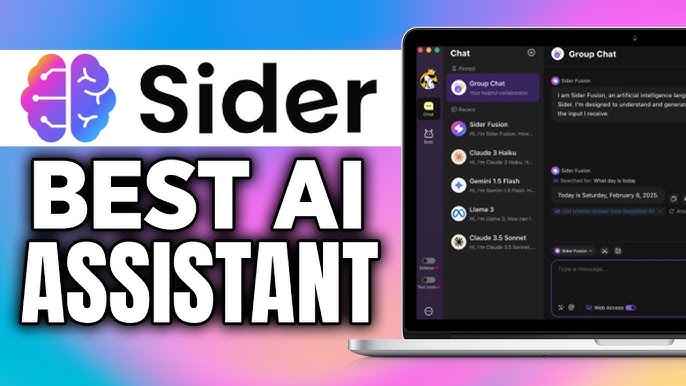
I'll admit it: I love collecting browser tabs like some folks collect rare coins. For years, my research process was pure chaos—until I stumbled upon Sider AI Assistant and its much-hyped ChatGPT Sidebar. What if AI could swoop in and organize my information tornado, generate reports, and even chat about videos I probably shouldn't be watching during work hours? Here's my hands-on, slightly unfiltered review of Sider in actual day-to-day use.
Finding Focus in a World of Distractions: How Sider's Browser Extension Sidebar Saved My Sanity
Let me be honest—I was drowning in browser tabs. You know that feeling when you have 47 tabs open, frantically Alt-Tab dancing between research papers, YouTube tutorials, and that one article you bookmarked three weeks ago? That was my daily reality until I discovered Sider's ChatGPT sidebar.The Quick-Access Game Changer
What immediately caught my attention was how this AI browser extension keeps its sidebar visible while I bounce between tabs. No more desperate searching for that AI tool I was using five minutes ago. The browser extension sidebar just sits there, patient and ready, while I navigate my research chaos. The real test came during one of my infamous research marathons. You know the type—when you start looking up one thing and somehow end up with forty-seven Wikipedia articles about obscure historical events. Sider's sidebar stayed constant through it all, letting me summarize pages and YouTube videos in seconds without losing my train of thought.From Information Overload to Actual Productivity
Here's where things get interesting. This isn't just another AI tool collecting digital dust in my browser. Sider actually reads browser tabs and helps me make sense of the information tornado I create. The auto-sort feature picks out the most relevant sources while I'm still figuring out what I'm even researching. What really impressed me was watching it auto-highlight key information across different pages. Instead of manually copying and pasting quotes into a scattered document, Sider takes inspirational notes automatically. It's like having a research assistant who actually pays attention to what matters.The Multilingual Research Advantage
During a recent project requiring international sources, I discovered Sider supports over 50 languages with bilingual view capabilities. This isn't just basic translation—it's contextual understanding that helps with deep research across language barriers. The fact that 10M+ active users trust this platform started making more sense.Multiple AI Models, One Interface
What sets this apart from other AI browser extensions is the choice between GPT-4.1, Claude 3.5, and Gemini 2.5 depending on what I need. Sometimes Claude handles creative writing better, while GPT-4.1 excels at technical explanations. Having these options in one sidebar eliminates the need to juggle multiple AI subscriptions. The platform's growth from 2023 to 2025, reaching over 100k five-star ratings, suggests I'm not alone in finding this useful. Available across Chrome, iOS, Android, Mac OS, and Windows, it follows me wherever my research adventures take me. Honestly, I didn't expect a browser sidebar to change how I work online. But when you're constantly switching between tabs, sources, and ideas, having AI tools that actually understand your workflow makes all the difference. It's turned my chaotic web surfing into something resembling actual productivity—and that's worth celebrating.AI Models Galore: When to Use GPT-4.1, Claude 3.5, or Gemini 2.5 (and What Happens When You Let the AI Decide)
Here's where Sider really caught my attention – it's like having a whole AI buffet at your fingertips. Instead of being stuck with just one AI model, I get access to GPT-4.1, Claude 3.5 Sonnet, and Gemini 2.5 all in one place. And honestly? Sometimes I'm completely indecisive about which one to use.
The beauty is that each of these AI models has its own personality and strengths. GPT-4.1 mini is fantastic for quick, snappy responses when I need something fast. Claude 3.5 tends to be more thoughtful and detailed – perfect when I'm working through complex problems. Gemini 2.5 seems to excel at creative tasks and has this knack for understanding context that surprises me.
But here's the game-changer: Sider's Dynamic Fusion feature. When I can't decide which model to use, or when I'm just feeling lazy, I let the AI decide for me. Research shows that this dynamic fusion model automatically selects the best AI model for optimal responses, and I've got to say – it's surprisingly accurate.
Testing the Waters (and My Dog's Instagram Fame)
I've thrown everything at these different AI models versions. Academic questions about quantum physics? Claude handled it beautifully with detailed explanations. Need help brainstorming marketing copy? GPT-4.1 came through with punchy, creative options. But my favorite test? Writing captions for my dog's Instagram posts.
Yes, you read that right. I actually tested Sider on creating witty captions for my golden retriever's photos. Gemini 2.5 absolutely nailed the playful tone, while the Dynamic Fusion seemed to know exactly when humor was needed versus when a more straightforward approach worked better.
The Real-World Application
What I appreciate most is how seamlessly I can switch between models mid-conversation. Sometimes I'll start with one AI model for research, then hop to another for writing, then maybe try a third for translation work. It's like having multiple expert consultants on speed dial.
The integration feels natural too – no clunky interfaces or confusing menus. Just click, choose your model (or let Fusion decide), and start chatting. Whether I'm explaining code to a colleague, translating a webpage, or diving deep into research topics, having multiple AI models accessible in one place has genuinely changed how I work.
Studies indicate that this kind of versatile AI support can significantly improve productivity, and from my experience, that's absolutely true. Sometimes you need GPT's efficiency, other times Claude's depth, or Gemini's creativity. Having them all available removes that friction of switching between different platforms just to get the right kind of help.
Letting AI Do the Dull Stuff: Research Automation, PDF Analysis, and The Dream of Zero Busywork
Let me be honest—I used to spend hours combing through PDFs, highlighting random passages, and trying to make sense of scattered research notes. It was exhausting. Then I discovered Sider's AI-powered PDF analysis feature, and honestly? It felt like cheating in the best possible way.
The first thing that caught my attention was how Sider handles file uploads. You can literally drag and drop your private PDFs, and the deep research tools get to work immediately. No more manual skimming through dense academic papers or lengthy reports. The AI summarizes key points, highlights crucial information, and even pulls out relevant quotes faster than I can finish my morning coffee.
Interactive Report Generation That Actually Works
What really impressed me was the interactive report generation feature. It doesn't just spit out generic summaries—it creates detailed reports with proper citations included. I tested this with a 50-page market research document, and within minutes, I had a comprehensive breakdown with sources properly attributed. The 10M+ active users aren't kidding when they report up to 20x speed improvement.
The AI writing assistant component takes things further. Those messy research notes you've been meaning to organize? Sider transforms them into polished, coherent text. It's not perfect—sometimes the tone needs tweaking—but it's remarkably fluent for an AI tool.
Wisebase: Your Growing Knowledge Hub
Here's where things get interesting. Sider's Wisebase feature lets you store and organize everything—research reports, web findings, chat conversations. It grows with every interaction, creating your personal knowledge base. I've been using it for three months now, and it's become my go-to reference library.
The research automation AI handles the tedious stuff automatically. Web page translations happen instantly across 50+ languages. YouTube videos get summarized in seconds. Complex concepts get explained without breaking your workflow. The 100k+ 5-star ratings make sense when you experience this level of automation firsthand.
The Reality Check
Is it perfect? Not quite. Sometimes the AI summarization tools miss nuanced context, especially with highly technical content. And while the speed is impressive, I still double-check important citations manually. But for handling the bulk of research drudgery? It's a game-changer.
The browser extension approach is smart too. Everything happens in a sidebar without switching tabs or disrupting your workflow. You're reading, researching, and analyzing without the usual app-hopping chaos.
After using various research tools, Sider's combination of PDF analysis, report generation, and knowledge organization feels more integrated than most alternatives. It's not just about individual features—it's about creating a smoother research workflow that actually saves time instead of adding more complexity.
Wild Cards: My Oddest Sider Use Cases (Confessions & Curveballs)
Let me confess something: I've pushed Sider into some truly bizarre territory. When you have access to an AI image generator and essay writer sitting right in your browser sidebar, well... curiosity tends to take over.
My weirdest experiment? I fed the essay generator this prompt: "The Philosophy of Sandwiches." I expected gibberish. Instead, I got a surprisingly profound analysis about layers representing life's complexity, the bread as foundational values, and how condiments symbolize our personal choices. Honestly, it was better than some papers I wrote in college. The AI took this ridiculous topic and found genuine philosophical depth. I'm still not sure if I should be impressed or concerned about what this says about modern philosophy.
Then there was the image creation AI incident. I had this old family vacation photo from when I was eight—you know, the typical awkward beach pose with my parents. For reasons I can't fully explain (boredom? Creative madness?), I decided to recreate it with an alien invasion twist. The AI image generator actually pulled it off. Same poses, same beach setting, but with UFOs hovering overhead and little green beings photobombing our family moment. My mom found it hilarious. My dad... less so.
But here's where Sider really surprised me: during a multilingual trivia night at a local bar. My friend brought me along to impress his international colleagues, and I was terrified. Then I remembered Sider's AI bilingual support features. The instant translation tools saved my dignity multiple times. When someone asked a question in Spanish about German history, I could translate web pages AI searched for answers, and even switch to bilingual view to double-check my responses. I looked like some kind of polyglot genius, when really I was just frantically using Sider's 50+ language support behind the scenes.
These aren't exactly the use cases Sider probably had in mind when they built their research automation tools. But that's what I love about this AI assistant—it doesn't judge your weird ideas. Whether you're using the background remover for legitimate photo editing or creating alien invasion family portraits, the tools just work.
Research shows that AI tools excel when users get creative with them, and Sider proves this daily. The fact that it supports such playful experimentation while still delivering serious functionality for multilingual research tasks speaks to its versatility. You can go from philosophical sandwich essays to professional document translation without skipping a beat.
These oddball experiments taught me something important: the best AI tools are the ones that adapt to your chaos, not the other way around. Sider doesn't force you into rigid use cases. It just sits there in your sidebar, ready for whatever weird idea strikes next. And honestly? There are no boring afternoons when you've got access to this kind of creative AI playground.
TL;DR: Sider's ChatGPT Sidebar and multi-model AI arsenal actually made my chaotic web life smarter, faster, and—surprisingly—more enjoyable. It's not flawless, but if you're information-obsessed (or just overwhelmed), it's well worth the click.


Comments
Post a Comment